Gimi Illustration
Article and Xiaohongshu illustrations in three styles, with an optional narrator character — or your own.

Social creators / Writers / Video scriptwriters
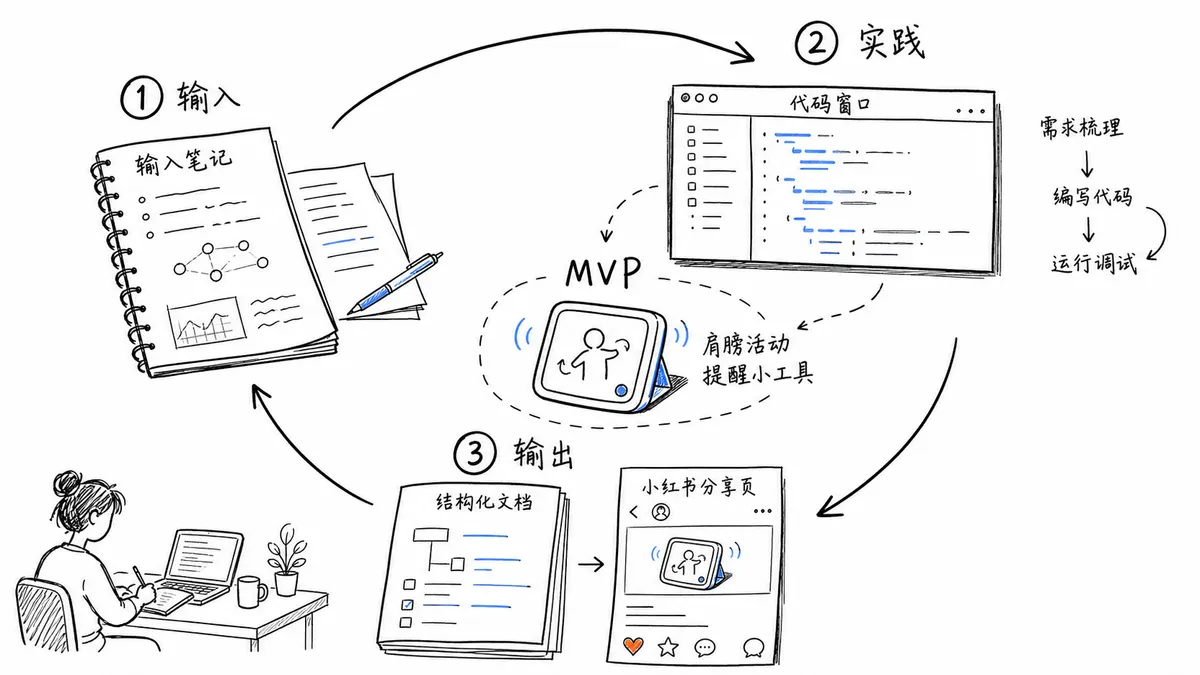
Preview: example output from GiMi-Xiaomi/gimi-illustration-skill by GiMi-Xiaomi, reproduced under the MIT licence.
Suggested prompts
Written by PicGens as starting points. Click one to copy it, then paste it to your agent once the skill is installed.
About this skill
Gimi Illustration draws explanatory pictures for Chinese articles, Xiaohongshu posts and voice-over scripts, turning judgements, processes, comparisons and metaphors into images a reader can take in at a glance. It offers three looks: a quirky hand-drawn default, a warm watercolour picture-book style and a flat, product-proposal editorial style.
By default a narrator character — Gimi, a girl in a horse-head hat — appears in the scene, but you can switch the character off, or register your own from a single front-view image so a personal mascot carries your posts instead. Vertical formats and an in-image title are optional. Images come from the platform’s built-in tool, such as Codex image generation or Cursor’s image command. The code is MIT; the Gimi character itself is covered by a separate IP notice in the repository.
What it makes
16:9 or vertical article illustrations, optionally featuring a custom character.
Before you install: An agent with a built-in image tool.
From the project README
Reproduced from GiMi-Xiaomi/gimi-illustration-skill by GiMi-Xiaomi under the MIT licence.
gimi-illustration · 文章 / 口播配图
输入正文,输出可读、有梗、不说明书的配图。
开源 AI Agent Skill · MIT · Gimi 形象见 IP-NOTICE.md
专门给中文内容做配图:把文里的判断、流程、对比、状态、隐喻,画成清爽、能一眼读懂的图。
适合长文、小红书图文、博客、Notion、口播脚本、工作流和方法论说明。
和「只会出图」不一样
1. 三种风格,同一件事也能换气质
默认怪诞手绘;也可以说「暖调绘本」「产品方案」。不是滤镜按钮,而是不同使用场景的画法——知识表达、叙事手帐、职场方案,各有一套。
2. 自定义 IP
传一张角色正视图,说「录入 IP」。确认形象后,后续配图尽量按这个人设走,不用每张重描述长什么样。想配几个角色就录几个。
3. IP 可插拔
默认用 Gimi(马帽女孩)当讲解员;不想要角色,直接说「不要 IP / 无角色」。有角色时,角色要参与把事讲清楚,不是角落摆件。
4. 尺寸 & 标题可调
默认横版 16:9;小红书竖版说「竖版」即可。需要图内标题就说「加标题:xxx」,不要标题就不加。
三种风格长什么样
同一类内容,三种画法。用自然语言选风格即可,不必记 id。
预览图用仓库相对路径,本地打开 README 就能看。发布并打
v3.0tag 后,也可用 jsDelivr:https://cdn.jsdelivr.net/gh/GiMi-Xiaomi/gimi-illustration-skill@v3.0/+ 下方同路径。
怪诞手绘(默认)
白底线稿,软蓝点睛,像编辑部手绘涂鸦。适合知识表达、个人特色、有点梗的方法论。
你可以这样说:怪诞手绘 / 线稿涂鸦
实践闭环(无角色)

写作避坑(Gimi IP)

AI 改文件(Gimi IP)

久坐肩颈(Gimi IP)

暖调绘本
温暖丰润的水彩手绘,纸纹、淡晕和日光。适合旅行、手帐、叙事、想留一点温度的内容。
你可以这样说:暖调绘本 / 旅行手帐风
交付主线(无角色)

实践闭环(无角色)

久坐肩颈(Gimi IP)

AI 改文件(Gimi IP)

产品方案
扁平编辑插画,把方案、取舍和路径画成可读的共创现场。适合职场方案、决策说明、对内对外讲清楚「为什么这样做」。
你可以这样说:产品方案 / 方案图
可分享结果(无角色)

交付主线(无角色)

AI 改文件(Gimi IP)

写作避坑(Gimi IP)

没指定风格时,默认用怪诞手绘。
支持的角色
默认:Gimi
马帽女孩,适合创作、方法论、职场、产品讲解类内容。
自定义:你的形象
上传正视图 → 录入 → 之后用你的角色配图。
无 IP
只要结构和隐喻、不要吉祥物,说一声就能关。
怎么用
日常配图:发「配图」+ 粘贴正文(或文章链接),需要时补一句风格、IP、尺寸或标题。
配图
用暖调绘本,不要角色,竖版

[粘贴你的文章正文]
录入角色:发「录入 IP」+ 附正视图。
改法随便说:竖版 / 不要角色 / 换成产品方案 / 只要 3 张 / 这张太满了重画。
触发词: 配图 / 给文章配图 / 帮我配图 / illustration
录入: 自定义 IP / 录入 IP / 上传形象 / 新建 IP
安装
Codex(推荐)
git clone https://github.com/GiMi-Xiaomi/gimi-illustration-skill.git
cd gimi-illustration-skill
mkdir -p "${CODEX_HOME:-$HOME/.codex}/skills"
cp -R . "${CODEX_HOME:-$HOME/.codex}/skills/gimi-illustration"
Cursor
mkdir -p ~/.cursor/skills
ln -s "$(pwd)" ~/.cursor/skills/gimi-illustration
装好后,在对话里直接发「配图」+ 正文就行。生图由当前平台的内置工具完成(Codex 的 Image Gen / Cursor 的 GenerateImage)。
小提示
- 正文越完整,图越准;只丢标题容易虚
- 一批几张够用就好,别把文章做成绘本
- 不满意直接说哪里不对,优先重画该张
- 同一段内容想换气质,直接说换风格,不用重写需求
输出会落在 outputs/,并附带 shot-config.md(配图策略,方便回溯)。
目录说明
| 路径 | 作用 |
|---|---|
SKILL.md |
Skill 主入口与工作流 |
references/styles/ |
三套风格定义(怪诞手绘 / 暖调绘本 / 产品方案) |
references/ip/_template.md |
自定义 IP 合约 + 录入流程(Step 0) |
references/ |
构图、视觉承诺、prompt、QA、IP 协议 |
assets/ip/gimi/ |
Gimi 设定图与三风格校准案例 |
assets/none/examples/ |
无角色模式三风格正向案例 |
License
- Skill 代码与文档结构:MIT License
- Gimi 角色形象(马帽女孩):见 IP-NOTICE.md,不在 MIT 授权范围内
关于作者
Gimi(米未可) — UX 设计师 / AI Builder
用 Skill + Vibe Coding 做工作提效与内容配图。
小红书:米未可
How to install Gimi Illustration
1.Clone the repository
git clone https://github.com/GiMi-Xiaomi/gimi-illustration-skill.git && cd gimi-illustration-skill2.Copy into Codex skills
mkdir -p "${CODEX_HOME:-$HOME/.codex}/skills" && cp -R . "${CODEX_HOME:-$HOME/.codex}/skills/gimi-illustration"3.Or link into Cursor
mkdir -p ~/.cursor/skills && ln -s "$(pwd)" ~/.cursor/skills/gimi-illustration
Licence and attribution
Gimi Illustration is created and maintained by GiMi-Xiaomi and published at github.com/GiMi-Xiaomi/gimi-illustration-skill under the MIT licence. The summary, suggested prompts and “About this skill” text are written by PicGens; the README section is reproduced under the project’s licence. The preview is an example image from the repository, reproduced under its licence. PicGens is not affiliated with the author.
Related skills
All skills →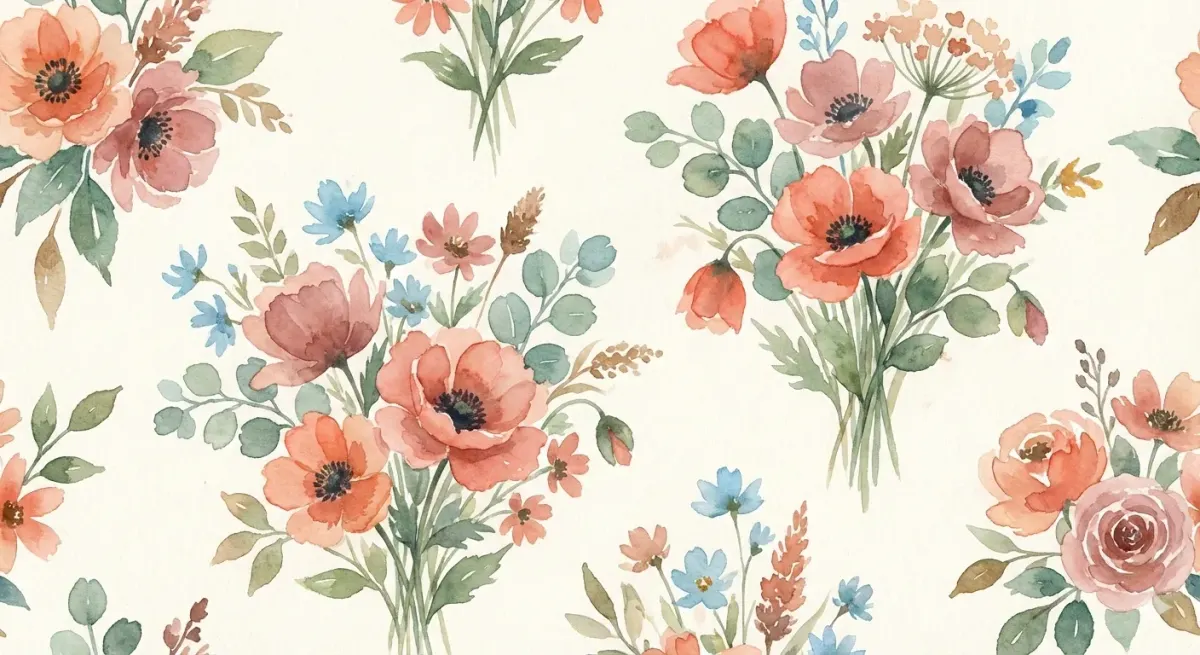
Baoyu Article Illustrator
Get illustrations placed exactly where your article needs them, in a consistent style and palette.
 JimLiuGitHub stars: 26k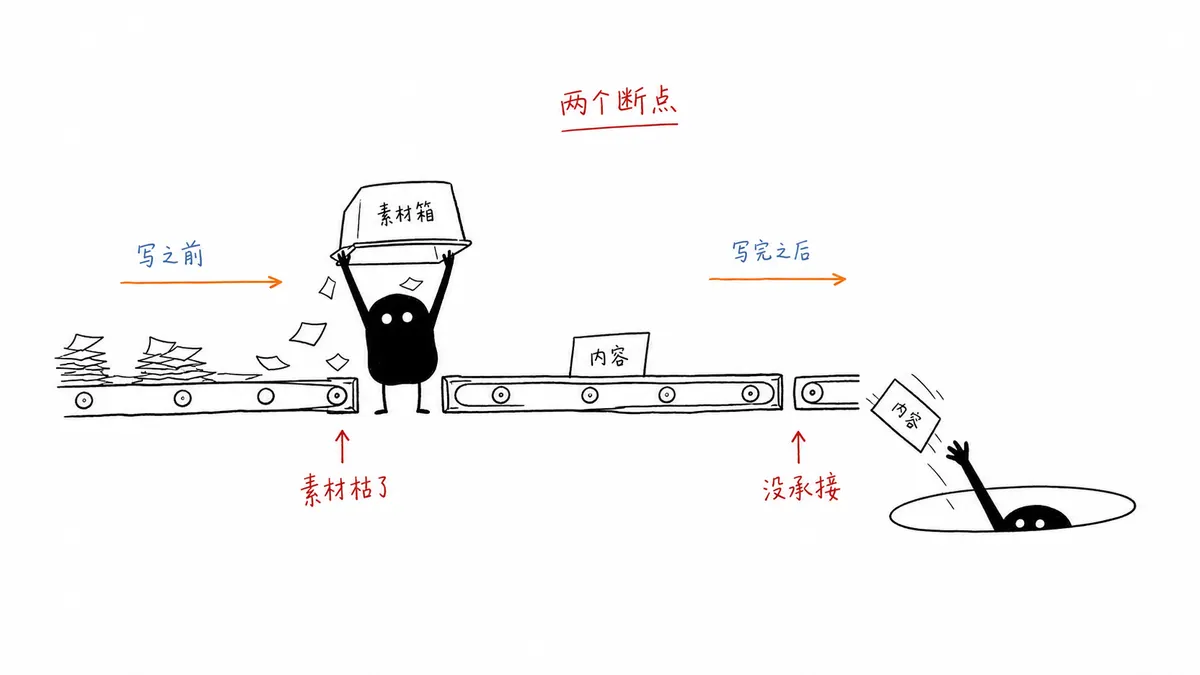
Ian Xiaohei Illustrations
Get a shot list and a set of hand-drawn Xiaohei illustrations for your article, on clean white pages.
 helloianneoGitHub stars: 12k
TaiT CRT Interface
Get a pixel-art portrait framed like an early CRT desktop, with floating retro windows.
 TaiT-ttGitHub stars: 507
Orange Line Illustration
Get a single-idea line drawing with one orange accent — or a whole illustrated slide deck.
 orange2aiGitHub stars: 426
Looking for prompts instead of a skill?
Browse real illustration & 3d prompts with the images they made, or give your agent the free PicGens template skill.