NanoBanana PPT
Slides rendered by Nano Banana Pro, with optional Kling transition videos and a full-deck MP4 export.

Presenters / Marketers / Educators
Suggested prompts
Written by PicGens as starting points. Click one to copy it, then paste it to your agent once the skill is installed.
About this skill
NanoBanana PPT is a presentation pipeline built around Google’s Nano Banana Pro image model. It reads a document, plans a slide structure from it, and renders each slide as a single high-quality image, so the deck has the finish of a designed visual rather than a filled-in template. Built-in looks include gradient glassmorphism cards and a warm vector illustration style.
Where it goes further than most slide skills is motion. It can generate short transition videos between consecutive slides using the Kling video model, so one slide flows into the next instead of cutting. It then presents the deck in an interactive HTML player that you drive with the keyboard, like a normal presentation, and can use FFmpeg to export the entire presentation — slides and transitions — as one video file you can share or upload.
Under the hood it is a Python tool built on Google’s generative AI SDK and Pillow, wrapped as a Claude Code skill. Installation involves cloning the repository into your Claude Code skills folder, creating a Python virtual environment and installing a handful of packages. You will need a Gemini API key for the slides; the video features also need Kling access keys and a local FFmpeg installation, and each of those services bills separately.
Because every slide is an image, the text is not editable in PowerPoint or Keynote afterwards; changes mean regenerating the affected slide. That trade-off suits talks, launch videos and social decks better than documents that need frequent small edits.
The project is older than most entries in this directory — its last update was in January 2026 — but it remains a clear, working example of an image-model deck pipeline, by the same author as the Guizang social card and Yingzao skills. The repository has no licence file, so the author keeps all rights; use it for your own presentations and ask before redistributing it.
What it makes
Slide images, transition videos, an HTML player and a full-deck MP4.
Before you install: GEMINI_API_KEY; the video features also need Kling keys and FFmpeg.
How to install NanoBanana PPT
1.Clone into Claude Code skills
git clone https://github.com/op7418/NanoBanana-PPT-Skills.git ~/.claude/skills/ppt-generator2.Install Python dependencies
cd ~/.claude/skills/ppt-generator && python3 -m venv venv && source venv/bin/activate && pip install google-genai pillow python-dotenv
Licence and attribution
NanoBanana PPT is created and maintained by op7418 and published at github.com/op7418/NanoBanana-PPT-Skills without a licence file, so the author reserves all rights — ask before redistributing it or its sample images. The summary, suggested prompts and “About this skill” text are written by PicGens. The preview is GitHub’s own social card for the repository. PicGens is not affiliated with the author.
Related skills
All skills →Frontend Slides
Get an animated single-file HTML presentation in a look you picked from real previews.
 zarazhangruiGitHub stars: 30k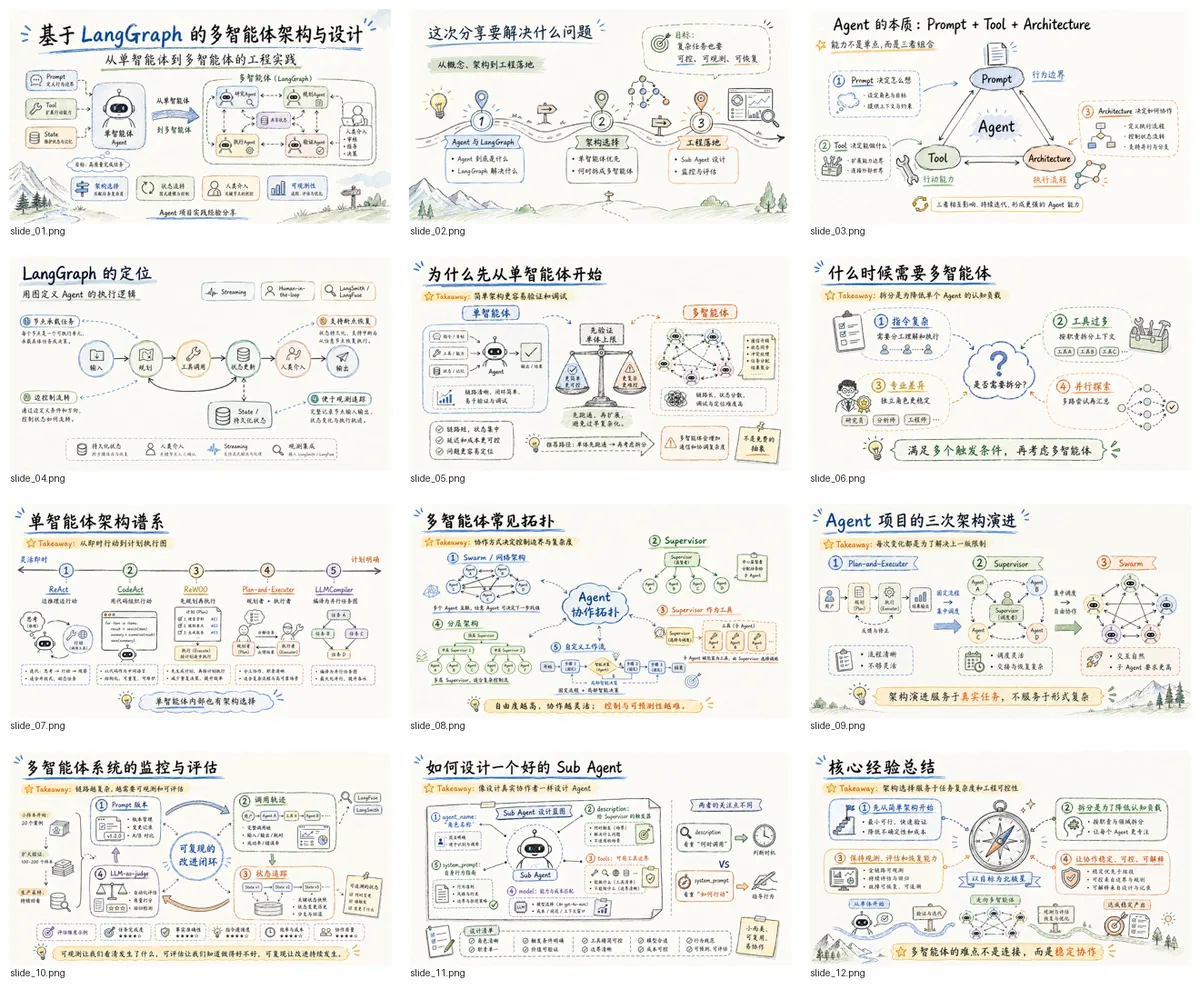
Codex PPT
Get a visually unified deck, confirmed one sample slide at a time, packaged as a PPTX.
 ningzimuGitHub stars: 6.2k
GPT Image 2 PPT
Get a high-polish deck where every slide is a designed composition — optionally rebuilt as editable PowerPoint.
 JuneYaoooGitHub stars: 1.3k
Canvas Design
Get an original poster or art print drawn in code, plus the design philosophy behind it.
 anthropicsGitHub stars: 179k
Looking for prompts instead of a skill?
Browse real chart & infographic prompts with the images they made, or give your agent the free PicGens template skill.