GPT Image 2 vs GPT Image 2.5: How to Choose
This is an unusually cheap upgrade decision, because the migration cost is close to zero: GPT Image 2.5 accepts your existing GPT Image 2 prompts unmodified. That removes the usual reason to delay. What remains is a narrower question — is the extra detail 2.5 produces an asset or a liability for your particular brief, and is the workflow you actually run a generation workflow or an editing one?
Decision framework — not a controlled benchmark
Updated 2026-09-10. PicGens has not run a controlled comparison with matched inputs, settings, accounts and an evaluation set. Model names, IDs and pricing come from the official OpenAI model pages for gpt-image-2.5-sunburst and gpt-image-2.5-flare. The image pairs come from the upstream awesome-gpt-image-2 project. Upstream states that the original images’ generation conditions were never independently verified, and that the tool used for the new runs did not report a model ID, quality tier or cost. The “GPT Image 2” and “GPT Image 2.5” labels are the display labels the upstream project chose. Treat every pair below as one uncontrolled sample per prompt, not as a benchmark.
When staying on GPT Image 2 is the right answer
“Newer” is not a brief. There are three honest reasons to leave a working pipeline alone, and none of them is nostalgia.
- Your output is already approved and reproducible. If a catalogue of 400 packshots passes review on GPT Image 2, a model change means re-approving 400 images. The upgrade has to beat that cost, not just look nicer in one comparison.
- Your aesthetic depends on restraint. The consistent observation across the reproductions below is more surface detail — finer fur, denser annotations, more prominent façades. For a minimal editorial style, that is a regression you would then have to prompt your way back out of.
- You have measured cost per image and 2.5 is unmeasured. Both 2.5 variants publish token pricing, not per-image pricing. Until you have run your own prompts and counted tokens, you are swapping a known unit cost for an unknown one.
If any of those apply, browse the GPT Image 2 prompt collection and keep shipping.
When to move to 2.5 — and to which variant
Move when the job has a property the release specifically addresses. Three cases are clear enough to act on today.
- Editing-heavy work → Sunburst. If most of your time goes into fixing regions of an image rather than generating new ones, the variant documented as the most capable for editing is where the upgrade pays. Both variants support inpainting, so a mask plus a one-line instruction usually beats regenerating the frame.
- High-iteration concepting → Flare. Flare is documented as the fastest variant for everyday generation, and its explicit quality ladder (low through max) means the same prompt can be run cheaply while the composition is still unsettled and expensively once it is not.
- Texture-forward briefs → either, prompt tightened. Material-rich work — paper, fabric, fur, condensation, glass — benefits from the added detail. Rewrite density preferences as numeric limits before you migrate, or you will spend the gain on cleanup.
The full split between the two variants, including a per-category routing table, lives on Sunburst vs Flare.
Decision dimensions
| Dimension | Ask first | Stay on 2 if… | Move to 2.5 if… | Evidence status |
|---|---|---|---|---|
| Existing prompt library | Does the prompt already state layout as an explicit rule? | No reason to move for syntax — nothing about the wording changed. | Move it as-is; structural instructions carried over intact in every case tested. | 4 prompts re-run unmodified |
| Fine detail and texture | Does the brief reward more surface detail, or punish it? | Stay if the aesthetic depends on restraint and your current output already lands. | Move if you want denser material rendering — but tighten density limits first. | Observed in single runs; not measured |
| Masked edits and retouching | Is the job “fix three regions of an existing image”? | Stay only if your current edit pass already passes review. | Sunburst is documented as the most capable variant for editing; both support inpainting. | Per official model documentation |
| Iteration volume | How many runs before the composition is settled? | Stay if throughput is already acceptable and cost is predictable. | Flare is documented as the fastest variant and exposes low→max quality settings. | Per official model documentation |
| In-image text and branding | Is any lettering business-critical? | Neither generation is a brand review — proofread on whichever you use. | Brand text rendered legibly in the campaign case, but unrequested branding also appeared. | Single sample; verify manually |
| Cost planning | Do you need a per-image budget before committing? | Stay if your existing per-image spend is already measured. | Both 2.5 variants list identical token pricing, so measure tokens per image in your account. | Pricing published; per-image cost not measured |
Prompt portability: what to keep, what to tighten
Every reproduction below was produced by pasting a complete GPT Image 2 prompt back in without a single edit. Portability is therefore not the risk. The risk is that a prompt written for a model that under-delivered detail can over-deliver on a model that does not.
- Keep verbatim: panel and grid contracts, canvas coverage percentages, aspect ratios, quoted brand strings, explicit “no text / no logos” blocks, and lighting direction. All of these carried across.
- Tighten: any adjective governing how much of something appears. “Refined rather than crowded” did not prevent crowded margins; “at most six annotations, none larger than a thumbnail” would have.
- Add: the values you never had to state because the old model happened to guess right — background colour, typeface family, the exact number of props. The app-icon case kept its layout but changed its background from pink to cream.
- Re-verify: every piece of lettering, every logo, every count. A negative prompt reduces the chance of unrequested branding; it does not eliminate it.
For the underlying prompt structure these examples share, see the GPT Image 2 prompting guide, then the GPT Image 2.5 prompt page for the migration checklist.
The same four prompts, both labels
One original gallery image against one new run of the identical prompt — no reference image, no post-editing, one sample each. Full prompt text lives on the GPT Image 2.5 prompt page.
Case #532 — six-panel lemon drink campaign poster
Poster / campaign layout
A 2×3 grid advertising poster for a fictional lemon brand, with a recurring miniature character, a hero product panel and an explicit negative-prompt block. The longest prompt in the set at roughly 8,100 characters.
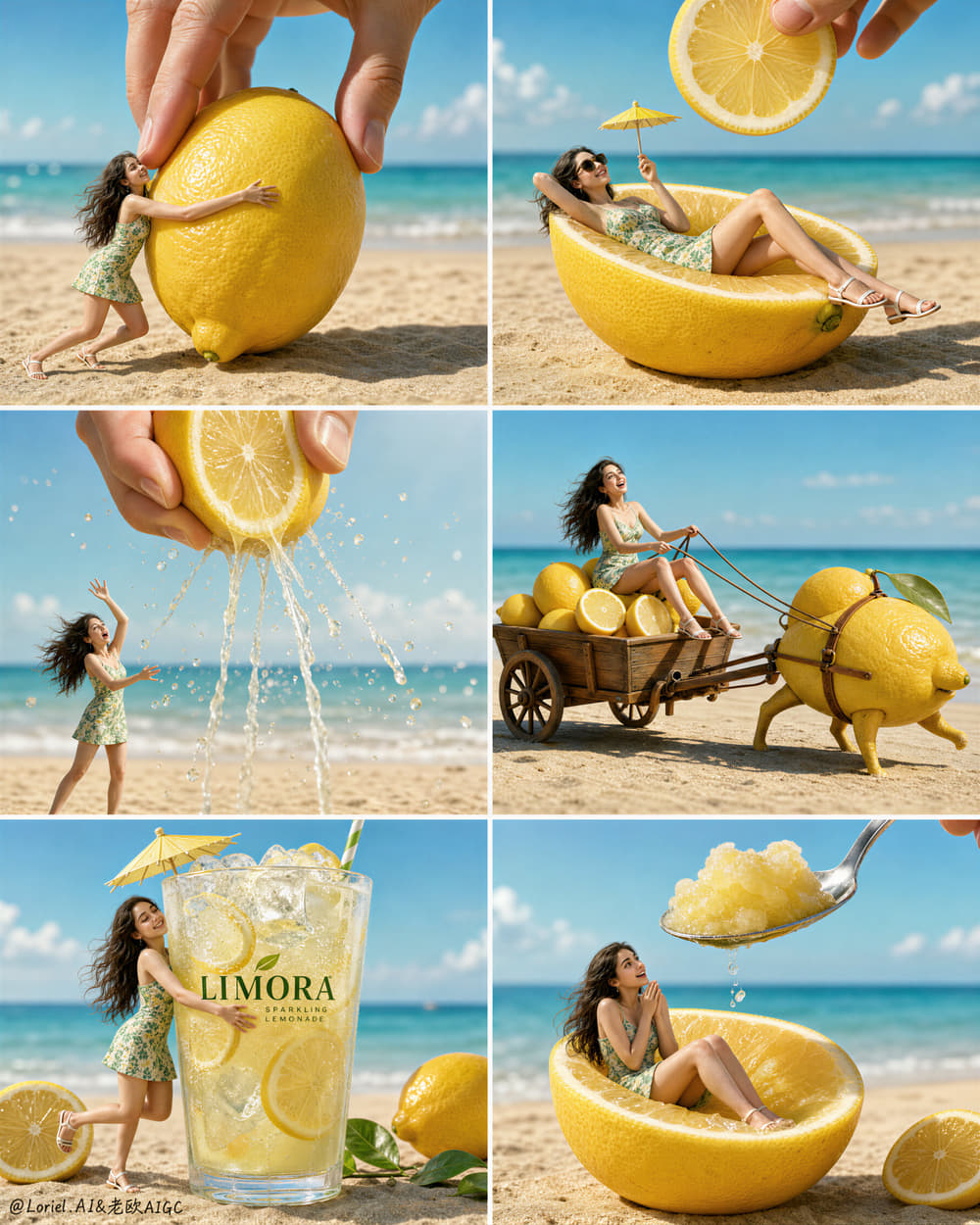
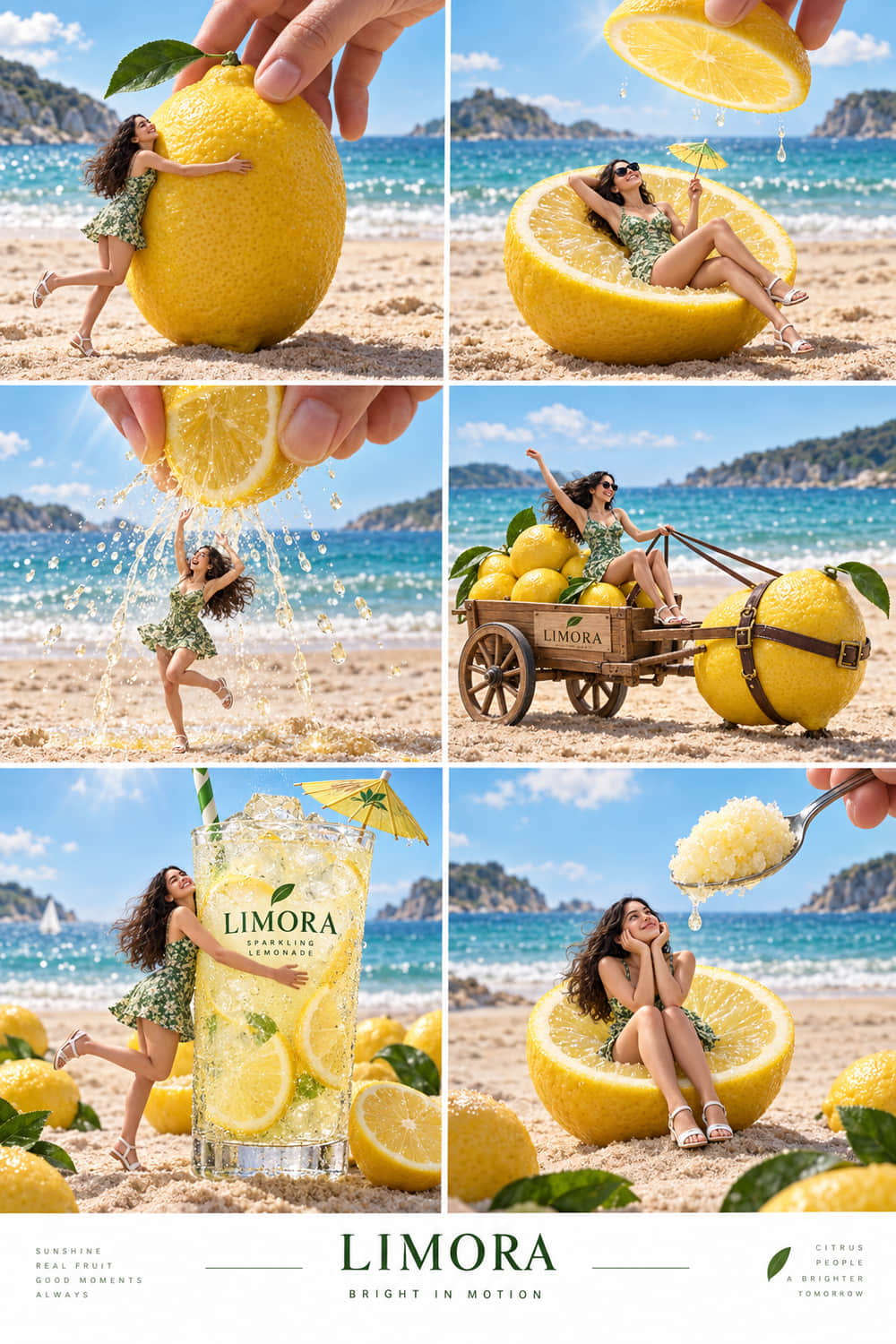
What changed in this run
- The requested 2-column by 3-row grid and the recurring green dress are present.
- “LIMORA” is readable on the hero glass; citrus, ice, juice and glass are visually detailed.
- Panel 2 shows a dripping lemon half instead of the requested floating lemon slice.
- Extra branding appears on the cart and on the lower campaign strip, which the prompt did not ask for.
Upstream recorded roughly 132s of wall-clock wait for this call, including queueing and transfer — not an isolated inference benchmark. One sample, no reference image, output unedited. Original post: source on X. Case notes: awesome-gpt-image-2.
Case #527 — Rio de Janeiro paper-cut travel diorama
Product / photoreal 3D scene
A photorealistic pop-up diorama rising out of a held travel ticket, ringed by hand-drawn marginalia. Tests depth layering, small architectural detail and dense annotation without letting the page get crowded.
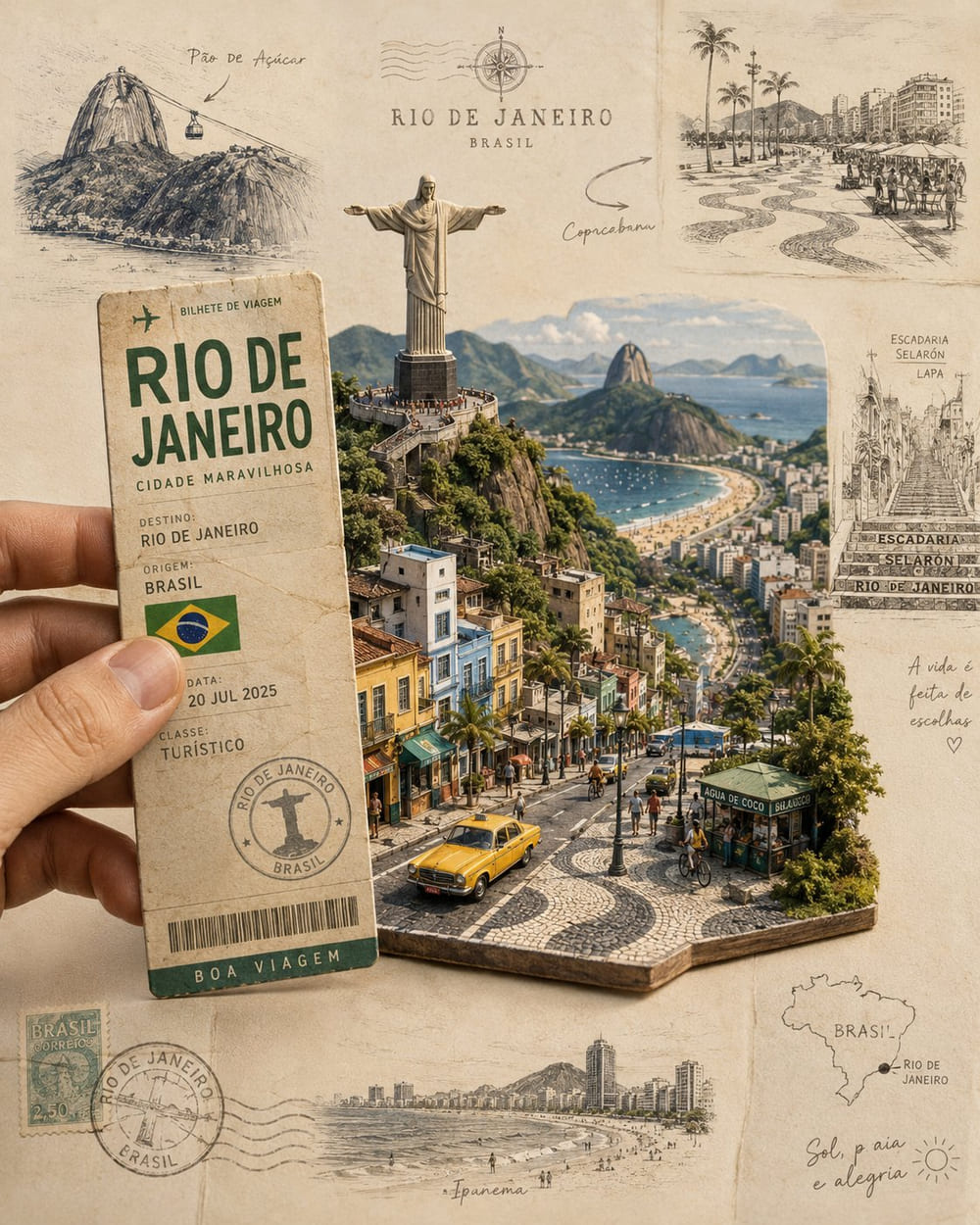
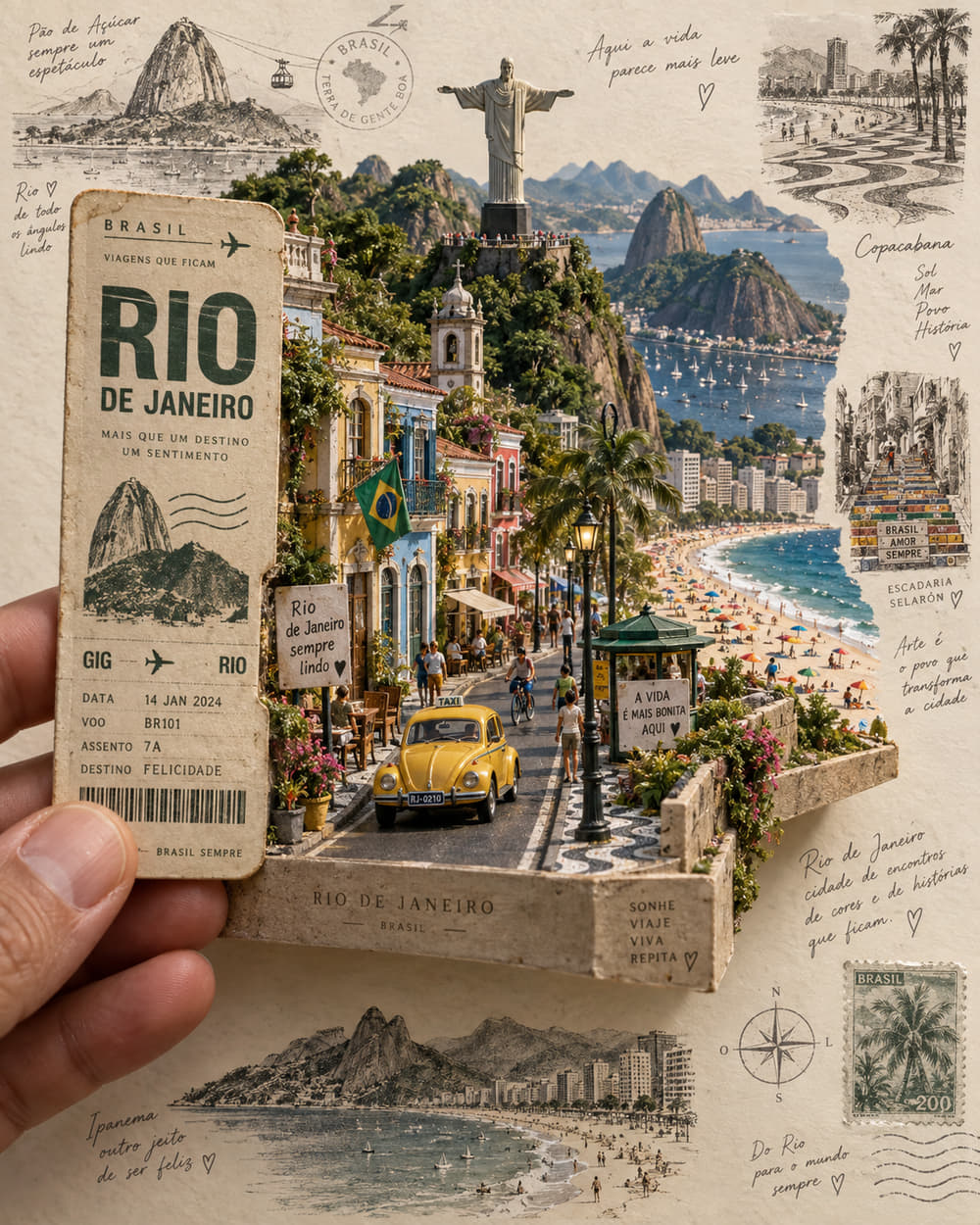
What changed in this run
- The ticket, Christ the Redeemer, the yellow taxi and the miniature base are all present.
- Building façades are more prominent than in the original gallery image.
- Handwritten marginal annotations are denser, which pushes against the prompt’s “refined rather than crowded” instruction.
Upstream recorded roughly 127s of wall-clock wait for this call, including queueing and transfer — not an isolated inference benchmark. One sample, no reference image, output unedited. Original post: source on X. Case notes: awesome-gpt-image-2.
Case #523 — Manhattan park watercolour travel illustration
Illustration / editorial art
A vertical vintage travel-poster illustration in ink and watercolour, with an explicit “no text, no letters, no logos” constraint. Tests style fidelity and negative instruction compliance.
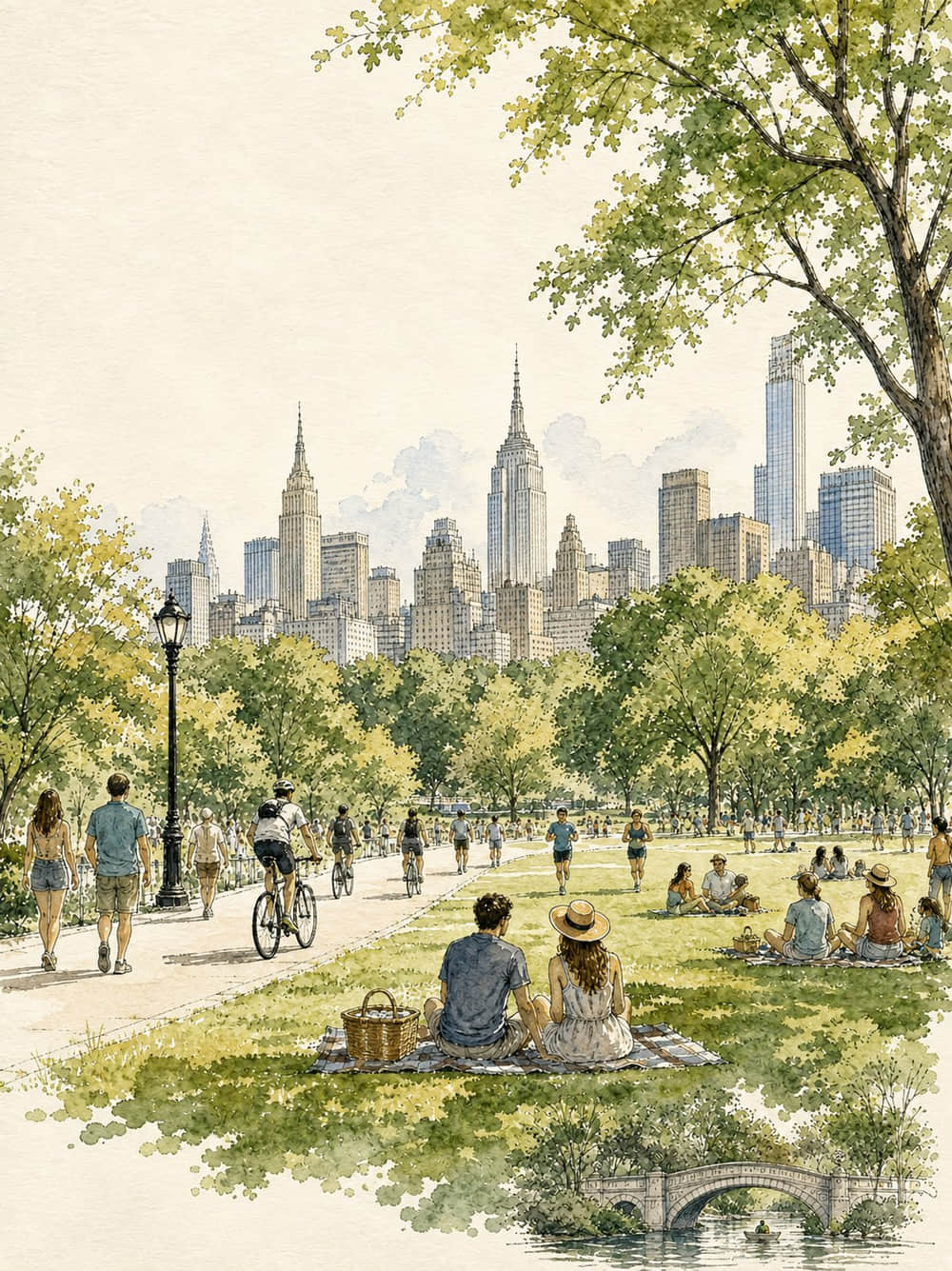
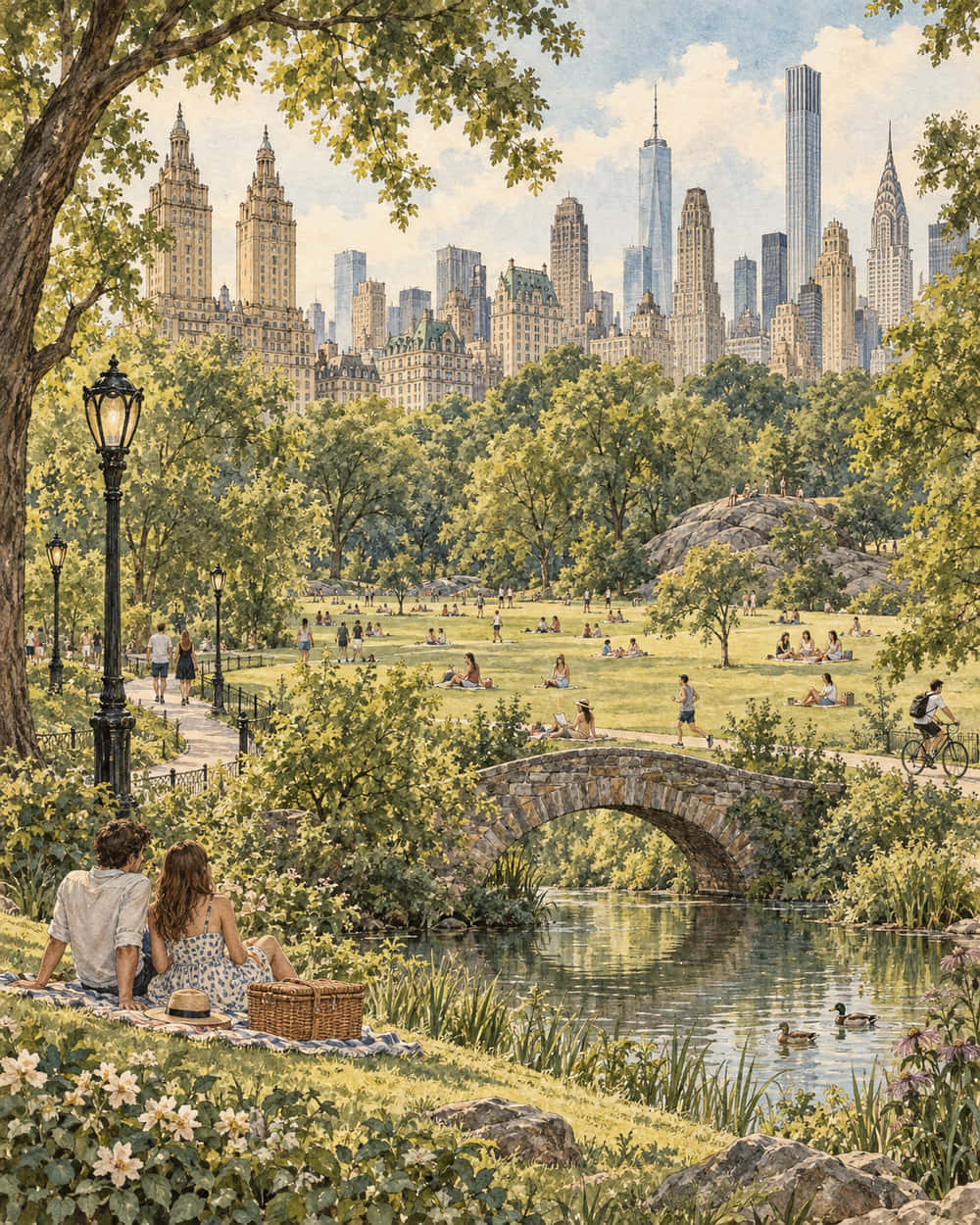
What changed in this run
- The stone bridge and pond are larger and more prominent in the foreground.
- Trees fill more of the composition; the watercolour-and-ink styling is retained.
- The “no text” constraint held — no visible lettering was added.
Upstream recorded roughly 61s of wall-clock wait for this call, including queueing and transfer — not an isolated inference benchmark. One sample, no reference image, output unedited. Original post: source on X. Case notes: awesome-gpt-image-2.
Case #510 — “Bichon Shop” skeuomorphic macOS app icon
UI / icon design
A four-sentence prompt: one squircle icon, white canvas, roughly 80% of the frame, light skeuomorphic App Store style. The shortest prompt in the set and the strictest layout contract.
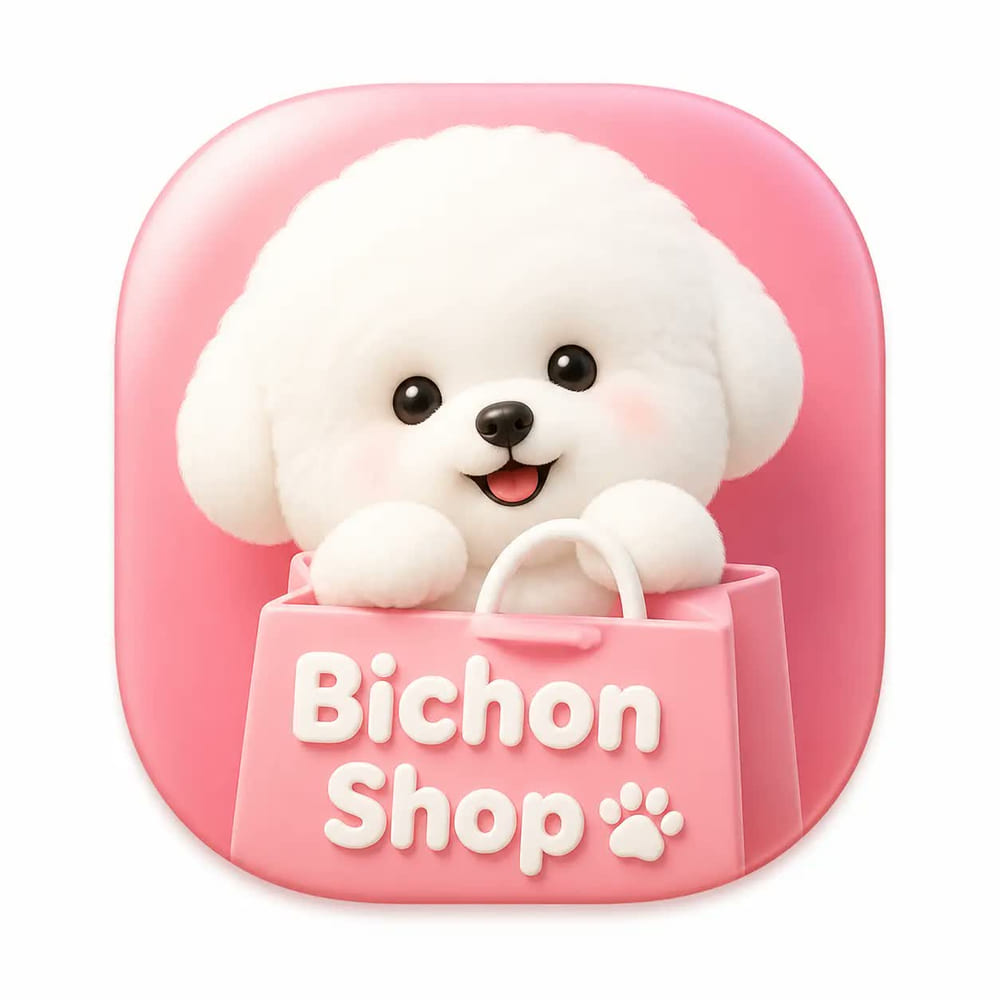

What changed in this run
- One rounded-square icon stays centred on a white canvas with padding — the layout contract held.
- The dog has more detailed curls, and the bag gains rope handles and visible paper texture.
- The icon background shifts from pink to cream and the “Bichon Shop” lettering is drawn differently.
Upstream recorded roughly 156s of wall-clock wait for this call, including queueing and transfer — not an isolated inference benchmark. One sample, no reference image, output unedited. Original post: source on X. Case notes: awesome-gpt-image-2.
Reproductions and case notes from awesome-gpt-image-2 (MIT) by freestylefly.
Frequently asked questions
- Is GPT Image 2.5 better than GPT Image 2?
- This page does not make that claim. The pairs shown here are single, uncontrolled samples with unverified original conditions. What the official documentation does support is narrower and more useful: 2.5 ships a variant positioned as the most capable for editing and a variant positioned as the fastest for everyday generation. Match those to your workflow rather than to a version number.
- Do I need to rewrite my prompts to migrate?
- No. All four reproductions used unmodified GPT Image 2 prompts. The recommended edits are small and one-directional: turn soft density language into numeric limits, and explicitly state any colour, typeface or count you previously left to chance.
- Which is cheaper, GPT Image 2 or 2.5?
- Not answerable from a price sheet. The 2.5 pages publish token pricing — $5 per million text input tokens, $8 per million image input, $30 per million image output, with cached discounts — so the cost of one image depends on the tokens it consumes. Measure your own prompts before committing a batch budget.
- Should I migrate a whole catalogue at once?
- No. Take ten to twenty prompts covering your real categories, run them unmodified, and score layout compliance, text accuracy and manual repair time separately. Migrate the categories that pass and leave the rest on GPT Image 2 until they do.
- Why do the images on this page say the results are unverified?
- Because the upstream project says so, and repeating that is the honest thing to do. The original images’ generation settings were never independently confirmed, and the tool used for the new runs did not report a model ID, quality tier or cost. The labels are upstream’s chosen display labels, not verified model attributions.
- Where do Sunburst and Flare fit into this decision?
- They are the second half of it. Deciding to move to 2.5 does not finish the job, because the two variants suit different phases of the same project — Flare while the composition is unsettled, Sunburst for finals and edits. The Sunburst vs Flare comparison has the per-category routing.