Use template: Use each attached character reference — AI Model Prompt
Use each attached character reference image as one individual character…
- Author
- @EvaGlitchAI
- Model
- AI Model
- Fields
- 1 ✦
Click a highlighted field to customize, then copy
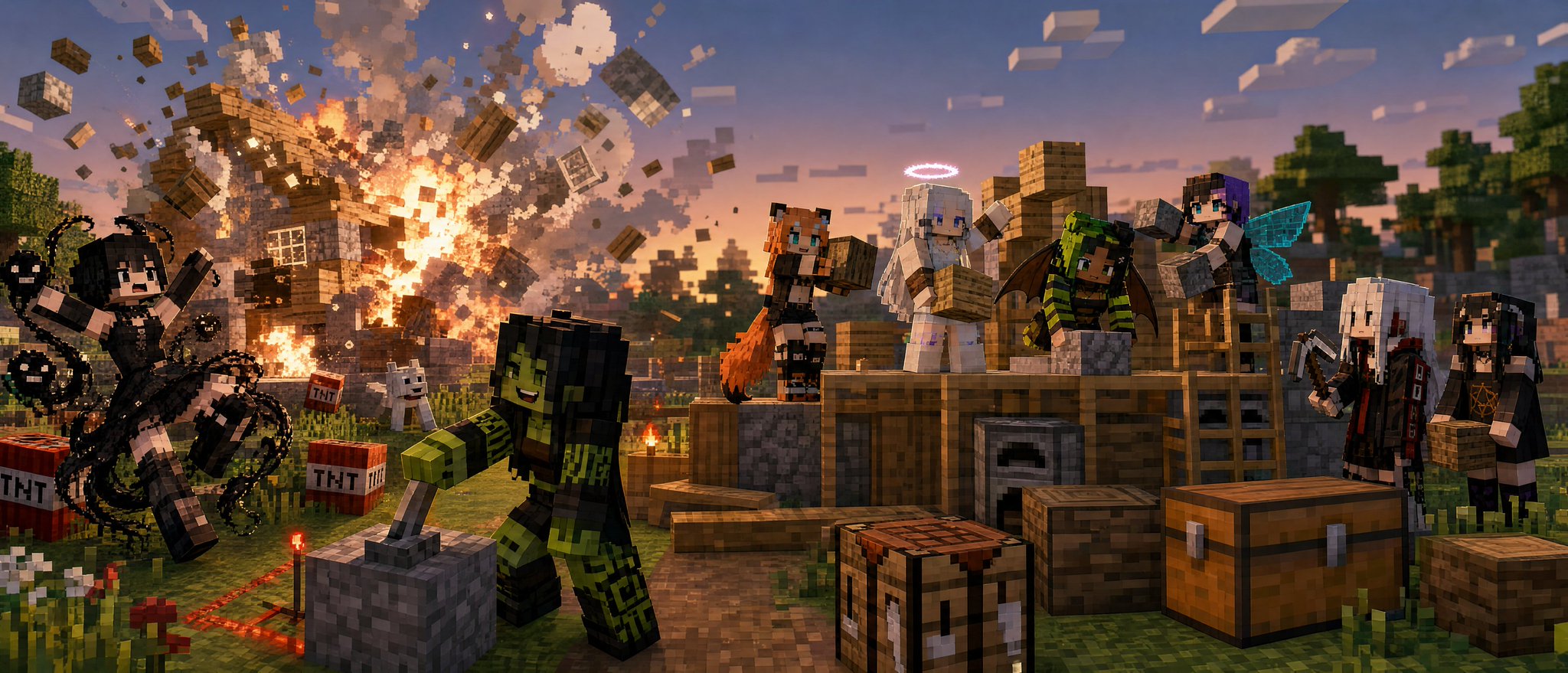
Use each attached character reference image as one individual character identity reference. SCENE SELECTOR: Examples: * underground cavern mob fight * deep cave battle against zombies and skeletons * mining while hostile mobs sneak up from behind * torchlit tunnel creeper ambush * spider and skeleton fight inside an abandoned mineshaft * ravine battle near lava and ore veins * village defense at night * Nether fortress combat run * End stone ruin fight against End mobs * diamond cave showdown with multiple enemies * stronghold corridor battle * survival fight outside a base at dusk * TNT prank house explosion while others calmly build nearby * creeper photobomb ruins a group screenshot * creeper silently appears behind someone building * creeper hole repair disaster after an explosion * failed redstone machine launches everyone into the air * slime block bounce pad chaos * honey block sticky trap prank * accidental lava bucket house fire * water bucket flood inside the base * chicken invasion inside a newly built house * pig stampede through a village market * cow stuck on the roof of a starter house * sheep dyeing prank goes completely wrong * villager trading argument at the market * villager refuses to leave someone’s bed * iron golem misunderstands the situation * wolf pack overprotective chaos * cat steals the bed during a monster attack * boat traffic jam on an ice road * boat race down a mountain river * minecart rollercoaster goes off the rails * minecart tunnel jump-scare with mobs * elytra crash landing into a build site * elytra race through a village * fishing rod prank pulls someone into danger * failed parkour jump over lava * everyone panics over one baby zombie * skeleton archer ruins a peaceful picnic * spider drops from the ceiling during mining * Enderman steals an important block * accidentally staring at an Enderman * Enderman teleports into the worst possible place * phantom attack during an all-night building session * raid begins during a housewarming party * pillagers interrupt a peaceful village build * wandering trader blocks the doorway with llamas * llama spit fight gets out of control * snow golem prank turns into a snowball war * pumpkin disguise confusion during mob hunting * Nether portal opens in the wrong room * ghast fireball ruins a Nether bridge * piglin gold misunderstanding in the Nether * strider ride goes the wrong way across lava * accidental Warden noise panic in the Deep Dark * ancient city sneaking mission goes horribly wrong * suspicious pressure plate treasure room disaster * chest trap prank inside a starter base * building a starter house * peaceful village farming * redstone workshop session * boating across a river toward a new biome Use the typed SCENE SELECTOR as the main scene concept. If the SCENE SELECTOR is left as RANDOM, blank, or unspecified, randomly choose one of the combat-focused example scenes first. Prioritize fight scenes, enemy encounters, mob ambushes, survival combat, and action-heavy Minecraft situations when randomizing. Only choose a calmer non-combat Minecraft activity if the typed SCENE SELECTOR specifically asks for it. Adapt the environment, action, poses, props, camera, and mood to match the selected scene. Keep the scene clearly set inside the Minecraft universe. Do not ignore the SCENE SELECTOR. Do not default to a generic plain portrait unless the scene selector specifically asks for it. Create exactly the same number of main characters as the number of attached character reference images. If there is 1 attached character reference image, create a solo scene. If there are 2 attached character reference images, create a duo scene. If there are 3 or more attached character reference images, create a group scene. Use every attached character reference image as one separate individual character. Do not add extra main characters beyond the attached character reference images. Do not remove any attached character reference images from the scene. Do not duplicate, clone, mirror, copy, or slightly alter any attached reference character. Each referenced character must be clearly visible, individually readable, and visually distinct from the others. Character reference rules: - Preserve each attached character’s core identity through their hair colour, hairstyle, eye colour where possible, signature colour palette, outfit motifs, accessories, species traits, silhouette, and overall character vibe. - Convert each character into a Minecraft-style version of themselves while keeping them clearly recognizable as that specific character. - The final design must still clearly look like each attached character. - Do not redesign any attached character into a different person. - Do not merge characters together. Hard style rule: Preserve the visual identity of the attached references while transforming them into authentic Minecraft-style characters. The image must look like Minecraft: blocky geometry, cubic forms, voxel-based design, simple square faces, and true Minecraft world construction. Use a high-resolution Minecraft texture-pack look with sharper block surfaces, cleaner materials, smaller visible pixel texture scale, richer environment detail, and less coarse low-resolution pixelation. Keep everything clearly block-based and faithful to Minecraft’s original style. Do not turn the scene photorealistic. Do not smooth away the block shapes or make the characters look like ordinary anime or realistic humans. Scene concept: Create a 21:9 horizontal ultrawide cinematic illustration based on the scene written in the SCENE SELECTOR. Show the attached character or characters taking part in a Minecraft activity, with combat scenes and enemy encounters prioritized by default. The final image should feel adventurous, action-heavy, readable, comedic when appropriate, and instantly recognizable as Minecraft. If the randomizer is used, make the characters actively fighting off enemies, defending themselves, reacting to danger, or dealing with chaotic Minecraft disasters. Character transformation: Transform every attached reference character into a custom Minecraft version of themselves while preserving their original identity. Use each character’s colours, outfit motifs, accessories, and overall vibe as the foundation for their Minecraft skin design. Make each one feel like a custom Minecraft skin inspired by that specific character, not a generic Steve or Alex recolour. Funny / chaotic scene handling: If the selected scene is one of the funny, prank, or chaotic scenario options, make the visual storytelling instantly readable and comedic. Use clear cause-and-effect staging so the joke is obvious at a glance. Let different characters react differently: some can panic, some can try to fix the problem, some can cause the chaos, and some can remain weirdly calm or amused. Keep the tone playful, expressive, and story-driven rather than grim or realistic. If the selected scene involves a TNT prank house explosion, stage the scene as a humorous contrast between chaos and calm construction. One referenced character should be shown mischievously activating a Minecraft-style redstone detonator, lever, button, or TNT trigger. Another referenced character should be near their blocky Minecraft house as it explodes, reacting with shock, panic, crying, or dramatic distress in a playful cartoonish way. The remaining referenced characters should be nearby building a separate house together, calmly or cheerfully placing blocks, holding tools, carrying materials, or working around crafting tables, chests, ladders, scaffolding, furnaces, and stacked resources. Make the storytelling instantly readable: one area shows the TNT explosion, flying blocks, smoke, fire particles, and collapsing house pieces, while another area shows peaceful cooperative building. If the selected scene involves a creeper photobomb, show the referenced characters posing together as if taking a group screenshot or selfie while a Creeper sneaks into the frame behind them. Make the Creeper large enough and obvious enough for the joke to read immediately. Some characters may still be smiling or unaware, while at least one character may be reacting with alarm or noticing the danger too late. If the selected scene involves a failed redstone machine, show a broken or overloaded Minecraft redstone contraption launching the referenced characters into the air with explosive force, flying debris, smoke particles, redstone sparks, pistons, slime blocks, honey blocks, rails, levers, redstone torches, and scattered machine parts. Make the moment feel chaotic and funny rather than deadly. Every referenced character should be airborne or visibly affected by the launch in a clearly readable way. If the selected scene involves an accidental lava bucket house fire, show one referenced character in distress trying to save their burning house, one or more referenced characters trying to put out the fire with water buckets or block-breaking, and another referenced character optionally remaining calm, amused, or unhelpfully relaxed nearby. Use visible lava flow, spreading fire, smoke particles, and frantic Minecraft-style reactions while keeping the tone playful. If the selected scene involves an Enderman stealing an important block, make the missing block and the resulting problem visually obvious. One referenced character may be chasing the Enderman, one may be pointing or panicking, one may be trying to repair the damage, and another may be making the situation worse or holding the wrong block. Scene adaptation rules: If the selected scene is cave-based, use underground caverns, ore blocks, torches, stone, lava, rails, mineshafts, and hostile mobs where appropriate. If the selected scene is combat-focused, make the action dynamic but easy to read, with clear poses, visible weapons or tools, and obvious mob threats. Prioritize iconic Minecraft weapons and tools such as swords, pickaxes, bows, shields, or torches depending on the situation. If the selected scene includes enemies sneaking up, clearly show the danger in the background, side of the frame, or emerging from tunnels while the main characters react or fight back. If the selected scene is above ground, use recognizable Minecraft biomes, villages, forests, mountains, rivers, plains, ruins, Nether/End structures, or player-built bases depending on the selected scene. If the selected scene is peaceful because the user typed a peaceful activity, still keep the image story-rich and immersive. Composition and camera: Use a wide 21:9 horizontal ultrawide cinematic composition. Pull the camera back to show more of the full scene, including the characters, mobs, buildings, terrain, props, damage, and environmental storytelling. Prioritize the bigger picture and overall scene readability over close-up character detail. Keep every character visible, readable, and separated in silhouette, but do not frame the image like a tight portrait. For big groups, spread the characters naturally across the wider frame so the image feels spacious rather than cramped. Make the selected scene immediately understandable at a glance. Environment and mood: Build the environment around the selected Minecraft scene. Use iconic Minecraft world design: blocky caves, cubic trees, square clouds, voxel terrain, ore veins, torches, crafting tables, chests, furnaces, village structures, farms, biome-specific terrain, Nether architecture, End materials, redstone builds, houses, towers, or player bases depending on the selected scene. The image should feel adventurous, playful, high-energy, and story-driven. When randomizing, lean toward danger, tension, survival, and exciting action rather than passive standing around. Lighting and rendering: Use lighting that matches the selected scene. For cave scenes, use torchlight, glowing lava, moody underground shadows, and warm highlights. For combat scenes, use dramatic lighting that helps separate the characters, enemies, and environment clearly. For surface scenes, use bright daylight, sunset glow, moonlight, or other scene-appropriate Minecraft lighting. Render the image as polished, premium-quality Minecraft-style key art with clean block forms, crisp readable detail, strong atmosphere, and a high-resolution texture-pack feel with smaller visible pixel scale while remaining faithful to original Minecraft style. Quality and rendering: Polished, premium-quality stylized Minecraft illustration with crisp blocky forms, clean readable silhouettes, sharp high-resolution texture detail, strong action readability, and clear full-scene composition. Keep the strongest detail concentrated on the referenced characters, immediate action, mobs, props, and main environmental storytelling elements. Do not: - Do not ignore the SCENE SELECTOR. - Do not default to a generic portrait or unrelated setting unless the SCENE SELECTOR asks for it. - Do not treat RANDOM as a peaceful standing pose by default. - Do not skip combat priority when the scene is randomized. - Do not make the camera too close or portrait-focused. - Do not crop tightly around only one character. - Do not lose the bigger picture of the selected scene. - Do not create more or fewer main characters than the number of attached character reference images. - Do not add extra main characters who were not provided as attached character references. - Do not duplicate, clone, mirror, copy, or slightly alter any attached reference character. - Do not merge characters together. - Do not redesign the attached reference characters into different people. - Do not lose the Minecraft look. - Do not make the scene non-blocky, overly smooth, or photorealistic. - Do not replace the Minecraft art style with generic fantasy, anime, or realistic game art. - Do not make the background busier than the characters. - Do not make the composition crowded, flat, or hard to read. - Do not make the main subjects tiny, blurry, hidden, or unreadable. - Do not create messy anatomy, extra limbs, malformed hands, distorted faces, or muddy textures. - Do not add unrelated modern props, random logos, or decorative motifs that do not belong in Minecraft.