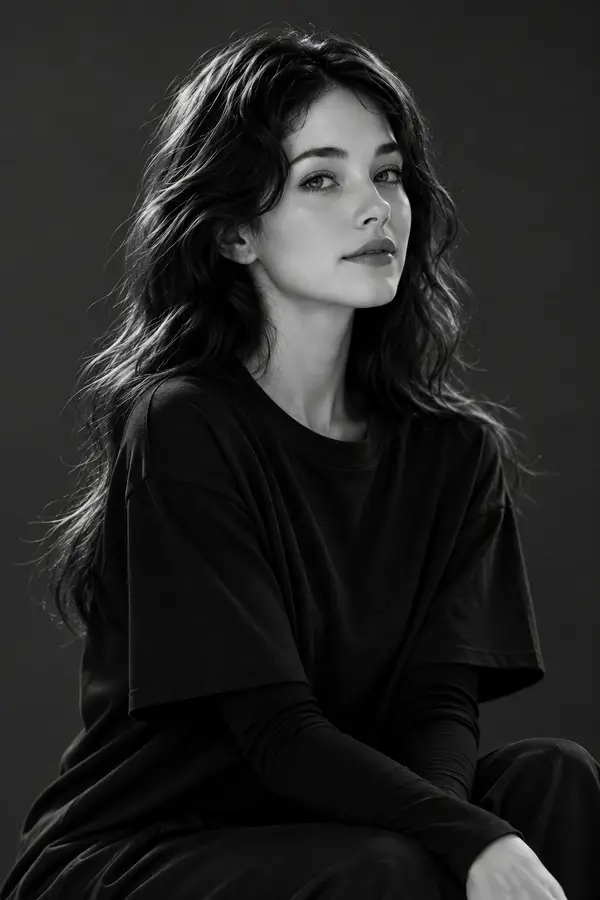
Using the provided reference image, create an ultra-realistic minimalist black-and-white fine art portrait of the same woman in a professional photography studio. The composition is elegant, timeless, and emotionally warm, inspired by classic portrait photography and luxury editorial magazines. The woman has medium-length wavy dark hair with soft natural volume, a gentle center part, and delicate face-framing strands. She wears an oversized plain black crewneck T-shirt layered over a fitted long-sleeve black top, creating a simple yet sophisticated monochrome aesthetic. She sits naturally with her hands resting together on her lap, shoulders relaxed, and her head tilted slightly to one side. She wears a soft closed-lip smile, looking directly into the camera with warm, expressive eyes that convey kindness and quiet confidence. The background is a seamless dark charcoal-gray studio backdrop, free from distractions. Soft diffused key lighting from one side creates smooth gradients across her face while maintaining rich blacks and subtle contrast. The portrait emphasizes realistic skin texture, detailed hair strands, and gentle catchlights in the eyes. Photographed using a medium-format camera, 85mm portrait lens, shallow depth of field, professional monochrome color grading, high dynamic range, museum-quality portrait photography, timeless editorial style, photorealistic rendering, masterpiece quality, and 8K resolution. Style Keywords minimal black and white portrait, fine art photography, timeless editorial, monochrome studio portrait, soft smile, medium-format photography, Vogue portrait, cinematic lighting, minimalist aesthetic, photorealistic, ultra detailed, 8K. Negative Prompt low quality, blurry, noisy image, distorted face, bad anatomy, extra fingers, extra limbs, asymmetrical eyes, harsh shadows, cartoon, anime, CGI, watermark, logo, text, oversharpened skin, plastic skin, oversaturated contrast, artifacts, low resolution.